Distinct responsibilities
Coaches, tutors, and students needed separate interfaces and permissions.


Case study · Education & EdTech
An online learning product needed to give coaches, tutors, and students the right workshop tools without relying on restrictive client installation.
The situation
Coaches, tutors, and students participated in the same online workshop but needed different permissions and controls.
The product also had to address practical client-installation and firewall barriers so participants could reach the session environment.
The challenge
Coaches, tutors, and students needed separate interfaces and permissions.
Questions, communication, and voting had to work inside the workshop context.
Client installation and firewall constraints could prevent participants from joining.
The solution
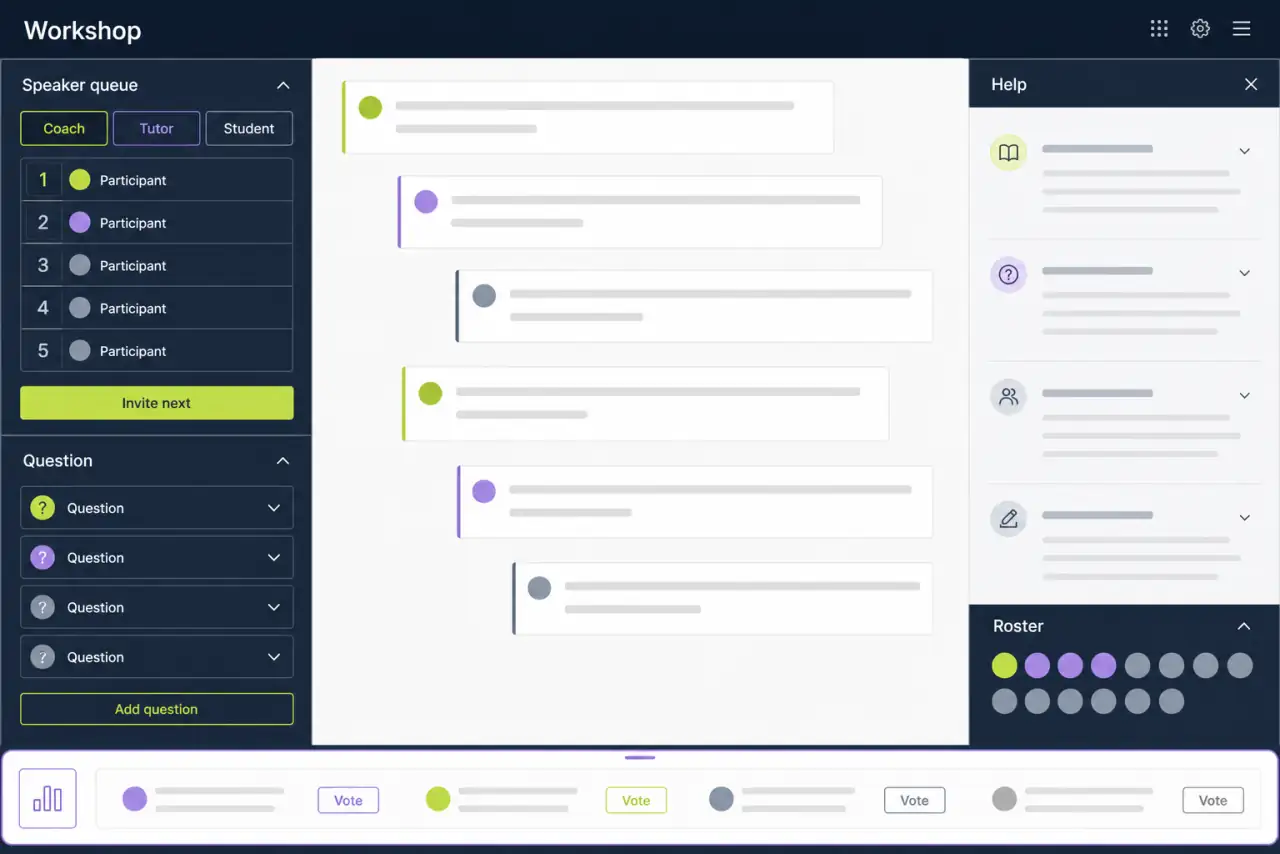
Each role received the controls needed to support the same live learning session.
Present coach, tutor, and student functions according to responsibility.
Support workshop messages, question handling, and help content in context.
Provide roster administration and voting tools for active sessions.
How the work unfolded
Role-specific access defined who could lead, support, participate, and administer the workshop.
Question and help functions gave students a direct route to assistance without disconnecting them from the session.
Roster and polling features helped instructors coordinate the group and collect structured responses.
The workflow
Open the workshop through the appropriate role.
Follow the live instructor-led discussion.
Use questions and help in the session context.
Manage the roster and collect votes.
Key information
The result
The documented capability combined role-aware access, real-time workshop communication, question handling, help, roster management, and voting.
Each participant type received an interface aligned with its workshop role.
Assistance could remain connected to the live learning activity.
Roster and voting tools supported session administration and participation.