

Manufacturing · ERP modernization
Modernizing a manufacturing ERP while orders keep moving
A manufacturing software provider introduced a new ERP interface while retaining established business logic, coordinating old and new modules, and resolving a persistent memory problem.
- ERP modernization
- Business continuity
- Transaction integrity
- Product development
At a glance
- Business need
- Modernize a live ERP incrementally
- Product
- Cloud manufacturing ERP product
- Delivery
- MVP followed by long-term development
- Technology
- Web applications and relational data
The business context
The product had to improve before the whole system could be replaced.
The client sells a cloud ERP product for manufacturers. Its users manage production, inventory, purchasing, and sales orders: connected activities in which one change can affect several records. The product’s older interface and difficult-to-maintain code were becoming obstacles to further development.
A complete rewrite would have delayed the improvements users could see while exposing a broad set of established rules to change. Shinetech proposed a smaller first step: deliver a new web interface, retain working business logic, and create a route for modules to evolve over time.
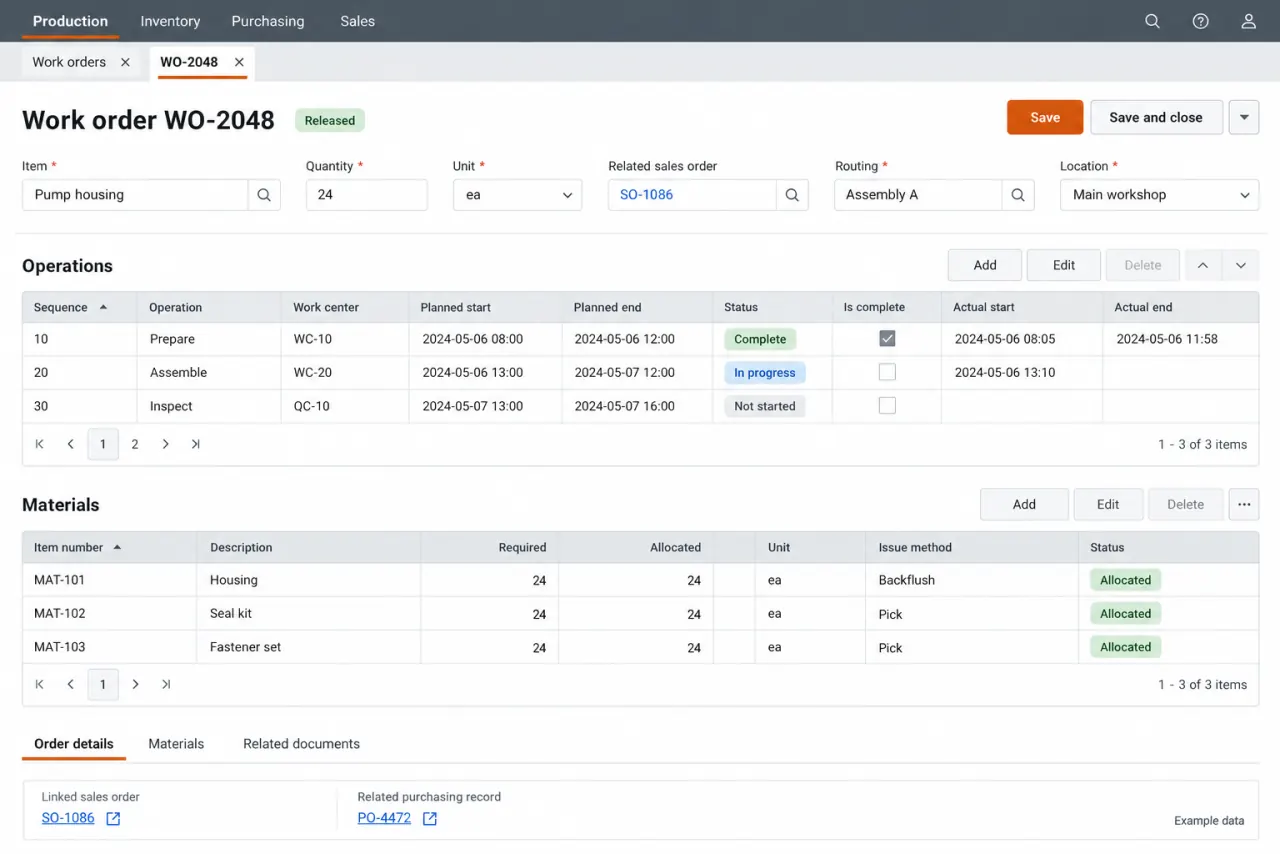
One work order across connected ERP functions
An illustrative work order shows why production and material records must stay coherent as modules change. Reconstructed interface with fictional data; not a client screenshot or an architecture diagram. View full-size interface (new tab)
The operating challenge
One business transaction could pass through two generations of code.
During the transition, old and new data-access mechanisms had to work together. A manufacturing workflow does not stop at the boundary between a new screen and a retained module. Connection handling, update order, failures, and transaction boundaries all mattered to keeping the resulting records consistent.
The first release also had to earn the client’s confidence. An earlier partial migration had left a memory problem that could exhaust resources after extended operation. A polished interface would not be enough if the product still became unreliable as it continued running.
The delivery decisions
Deliver a usable first step without losing control of the transition.
- 01
Introduce the new entry point
Shinetech built a new web dashboard and connected it to the existing business screens. Users could enter through the new interface and continue established work without waiting for every module to be rewritten.
- 02
Coordinate old and new data work
The team retained necessary legacy components while introducing managed application code and newer data access. It clarified responsibilities, worked on database indexes, and coordinated transactions across components so the transition accounted for complete business operations.
- 03
Resolve stability alongside modernization
Memory profiling helped locate and address the inherited resource problem while the MVP was being delivered. This made the early release a test of both the modernization approach and the team’s ability to diagnose behavior that appeared only after sustained use.
How the workflow holds together
The boundary of a release is smaller than the boundary of a business process.
Preserve the complete transactionA screen can be replaced independently only if its interaction with retained logic remains understood. In this ERP, the coexistence period was an active engineering concern. Transaction coordination and clear data-access responsibilities made incremental change practical rather than leaving the old and new parts to diverge.
After the MVP, the client set version priorities and reviewed proposed changes. Development, client testing, feedback, and correction formed the delivery cycle. The same approach supported feature work and gradual refactoring over a long engagement, with the existing backlog eventually worked through.
The delivered result
Users gained a new interface before the full modernization was complete.
Usable MVP
The new dashboard went live with access to retained ERP screens.
Stability work
The team located and resolved the inherited memory issue.
Gradual change
Continued releases advanced functionality and maintainability without a single replacement event.
The initial MVP developed into a long-term engagement, combining new features, stability improvements, and gradual refactoring of the ERP.
Case taxonomy
Searchable by industry, technology, product, and business need.
Industry and product
- Manufacturing
- ERP
- Manufacturing SaaS
Technology and delivery
- Legacy modernization
- Web application
- .NET
- Long-term development
Business need
- Business continuity
- Transaction integrity
- Phased migration
- System stability