How would requests reach the right support team?
The implementation included case routing and escalation rules in Service Cloud.


Case study · Retail & eCommerce
An outdoor apparel and equipment company needed faster support, clearer order information and better self-service. Shinetech customised Salesforce Service Cloud and connected it to the existing eCommerce platform.
The situation
Customer support was slowed by scattered customer data, complicated order tracking and limited self-service options. The company also needed better knowledge management and a service platform that could support its growing customer base.
Support staff needed customer and transaction information together so they could investigate problems encountered during a purchase. Choosing Service Cloud was one part of the work; connecting it to the existing commerce environment was another.
The project questions
The implementation included case routing and escalation rules in Service Cloud.
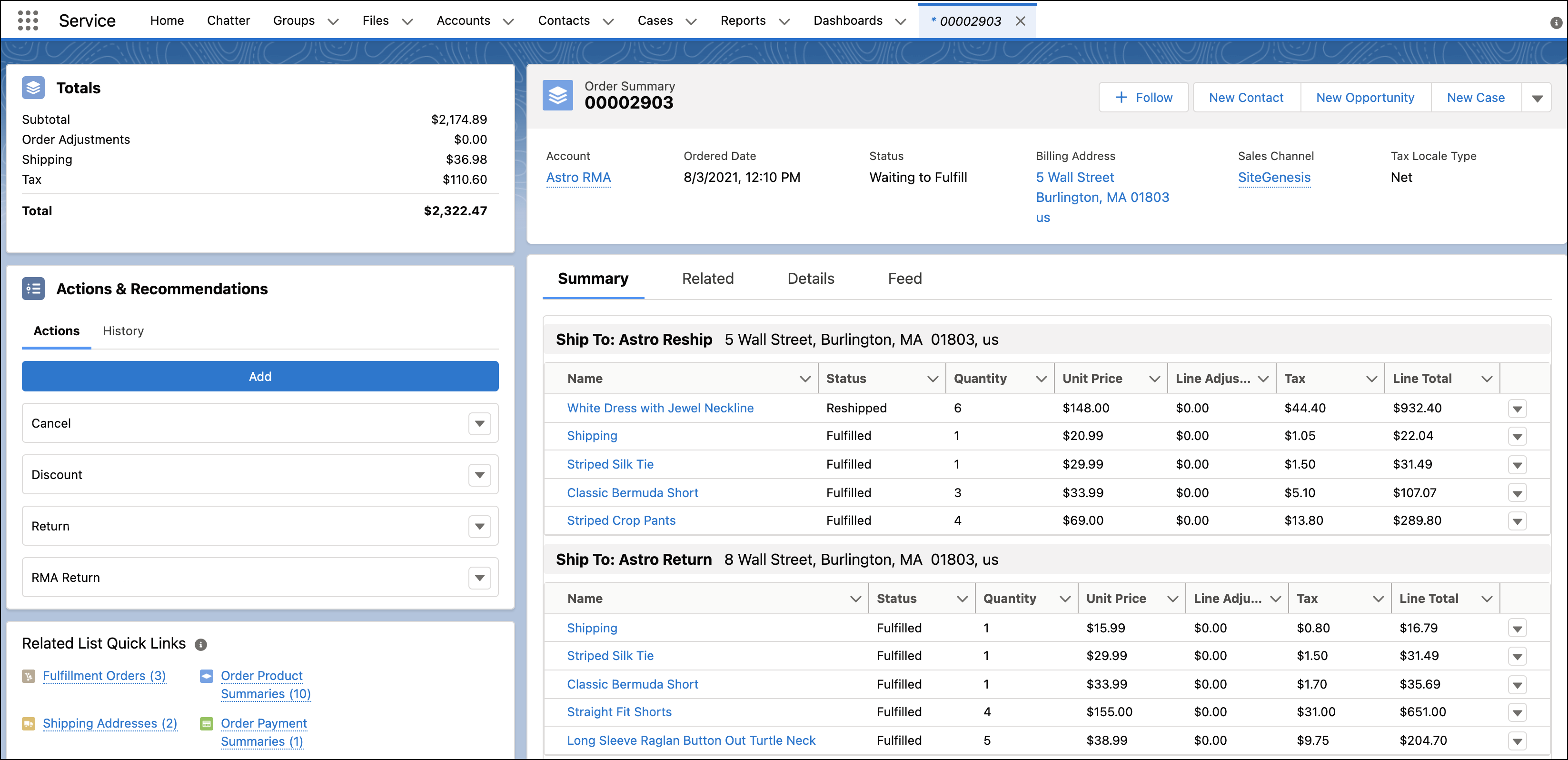
Custom pages and views associated customer and transaction data, with transactional information provided through OData.
Integration services updated the commerce system when customer data changed in Salesforce.
The solution
The solution had two parts: Salesforce Service Cloud customisation and integration services connecting it to eCommerce.
The Service Cloud work covered routing rules for different support needs, escalation rules, customer and transaction views, and request and approval processes for customer group applications.
The integration brought customer requests and feedback into Service Cloud, supplied transactional data through OData and sent customer updates back to eCommerce. Salesforce API and OData supported these integration services.
How the work unfolded
Configure case routing and escalation rules, then build pages and views that associate customers with transactions. Add request and approval processes for customer group applications.
Bring customer requests and feedback into Service Cloud. Provide transactional data through OData and return customer-data changes to the commerce platform.
The combined local and remote team used Kanban in Jira, short daily standups, code reviews and retrospective meetings after each development sprint. These practices supported communication and shared understanding of the system.
Technology and delivery context
The result
Cases handled by support could be tracked and evaluated.
The case report describes faster responses, improved customer satisfaction and better engagement.
The source reports that the number of cases processed doubled during the busy season, while explicitly describing its statistics as incomplete.
Tell us about your existing system, business workflows and delivery requirements.
Discuss Your Project