

Education & EdTech · Course licensing
Connecting family enrollment with a teaching-content business
A curriculum business connected studio and teacher content services with family enrollment and payments, while keeping licensing rights, classroom use, and financial records distinct.
- Curriculum licensing
- Family enrollment
- Offline content
- Payment integration
At a glance
- Business need
- Support teaching delivery and family enrollment
- Product
- Membership, content, and enrollment applications
- Delivery
- Ongoing product and integration development
- Technology
- .NET, Angular, Flutter, Stripe, Zoho
The business context
The same curriculum business served teachers and families in different ways.
Studios and teachers needed licensed teaching materials they could use during a class: music, videos, playlists, and resources. Parents had a different task—choose a center and course, provide family details, and pay for an enrollment. Those journeys belonged to the same business, but they did not confer the same rights.
Shinetech contributed across the management system, member portal, content applications, enrollment flow, and integrations behind them. The work supported both sides of the service while keeping a studio’s content subscription distinct from a family’s course payment.
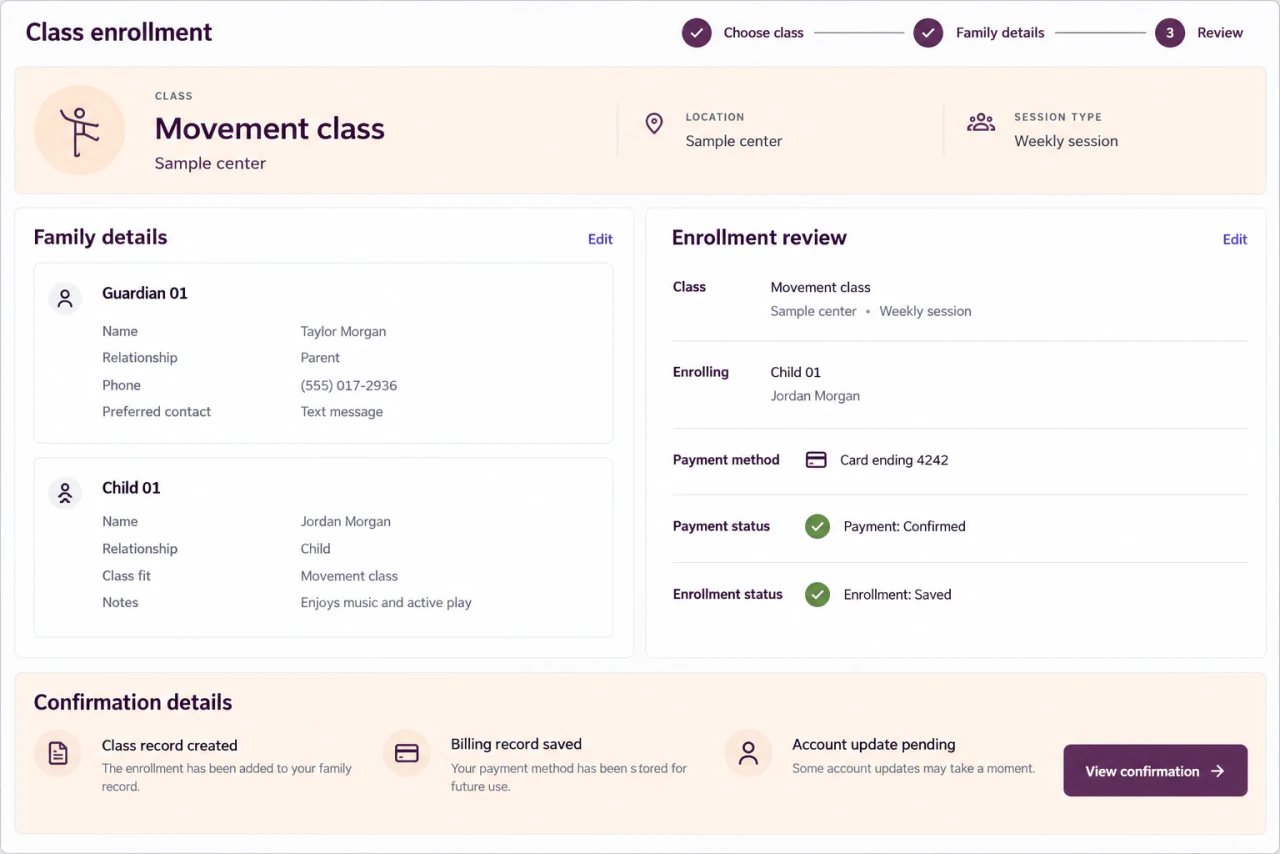
Enrollment with separate payment and record states
Invented family information illustrates an enrollment record whose payment and external updates have distinct states. It is an illustrative reconstruction, not a live customer record. View full-size interface (new tab)
The operating challenge
A completed payment was only one part of a completed enrollment.
Family records, children, classes, payment installments, and financial entries were related business facts. External payment and business platforms could send repeated callbacks or respond late. Treating every delayed response as a failed enrollment could lead to unnecessary retries; accepting every repeated event as new work could duplicate records.
Classroom content introduced another operating constraint. A teacher needed playback and resources to remain usable beyond a reliable live connection. Access rules, downloads, cache behavior, and background playback all affected whether the software supported the actual teaching session.
The delivery decisions
Give each user journey a clear source of access and state.
- 01
Manage content and permissions centrally
The CMS handled studios, users, plans, roles, music, video, playlists, resources, and course configuration. Member portals and content clients used that shared business and authorization context to provide the appropriate teaching material.
- 02
Design the teaching app for class use
The Flutter client supported playlists, media playback, caching, offline use, and background playback. Download and playback work continued to be refined around classroom behavior, where an interruption should not make the teacher reconstruct the session.
- 03
Keep enrollment, payment, and integration work distinguishable
The enrollment backend validated the final submission and saved related enrollment, payment, and accounting records. Stripe and Zoho integrations required deliberate transaction boundaries, duplicate-event handling, retries, and failure recovery across customer, financial, and signing workflows.
How the workflow holds together
A family payment does not grant a studio’s teaching license.
Two commercial relationshipsThe parent journey records a family’s enrollment and payment for a course. A studio or teacher receives teaching-content access through the relevant membership and role. Keeping these relationships explicit prevents a convenient shared account system from turning into an incorrect authorization rule.
Integration status also needed that clarity. A confirmed payment, a saved enrollment, and a pending update to an external business system are different states. The application work kept those responsibilities visible through validation, transaction handling, and recovery logic, supported by code review, automated tests, release checks, and continuing iteration.
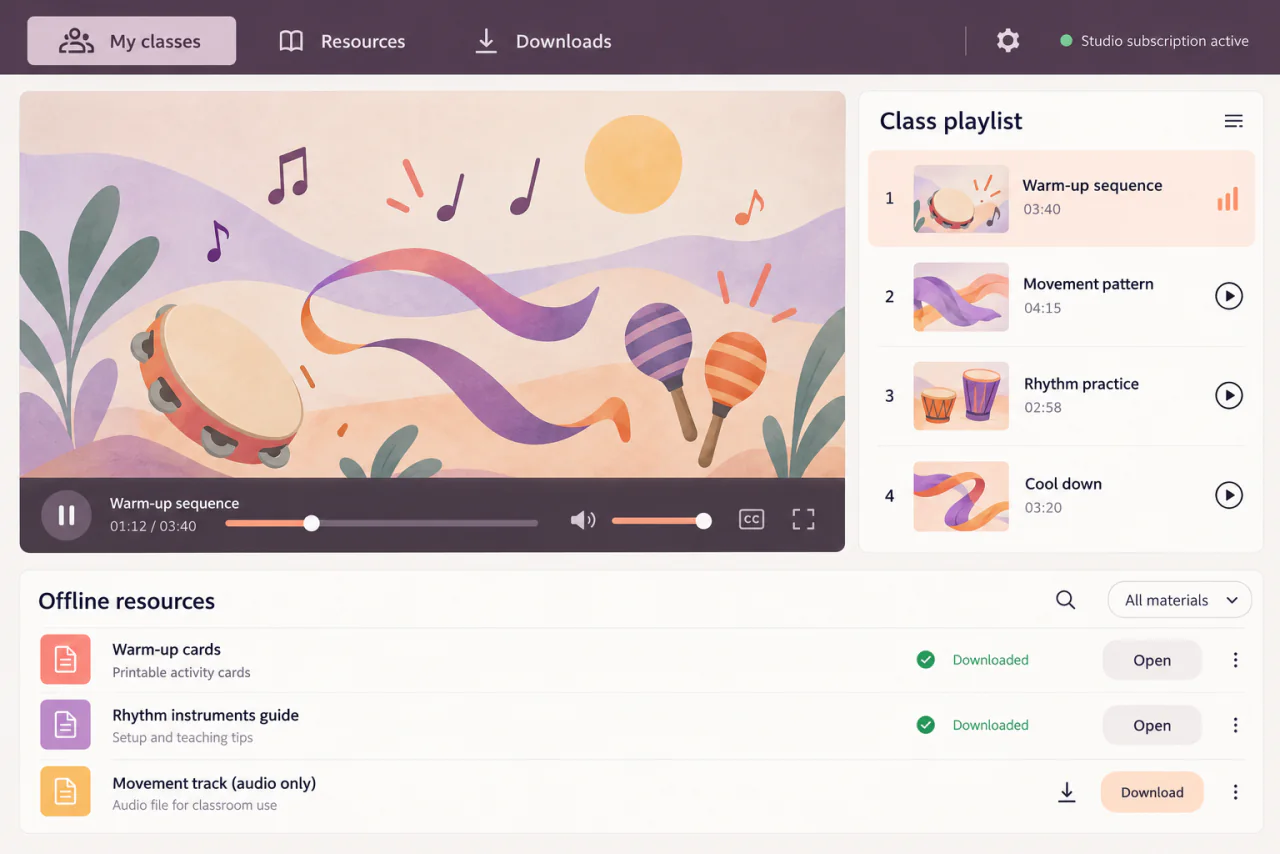
A different role: teaching from licensed content
A fictional teaching session shows the studio subscription context separately from family enrollment. Artwork, lesson titles, and resources are original illustrative content. View full-size interface (new tab)
The delivered result
The business gained connected applications for enrollment and teaching.
Teaching access
Studios and teachers used member and content applications backed by managed plans and roles.
Family enrollment
The implemented flow connected center and course selection, family information, payment, and related records.
Operational integration
Payment and business-platform connections supported continued administration and product development.
The CMS, membership services, content clients, and integrations remain under active maintenance, alongside continuing improvements to enrollment and family services.
Case taxonomy
Searchable by industry, technology, product, and business need.
Industry and product
- Education & EdTech
- Curriculum licensing
- Course operations
Technology and delivery
- .NET
- Angular
- Flutter
- Payment integration
- CRM integration
Business need
- Family enrollment
- Content permissions
- Offline content
- Subscription management
- Transaction recovery